
01
Transform text without changing context.
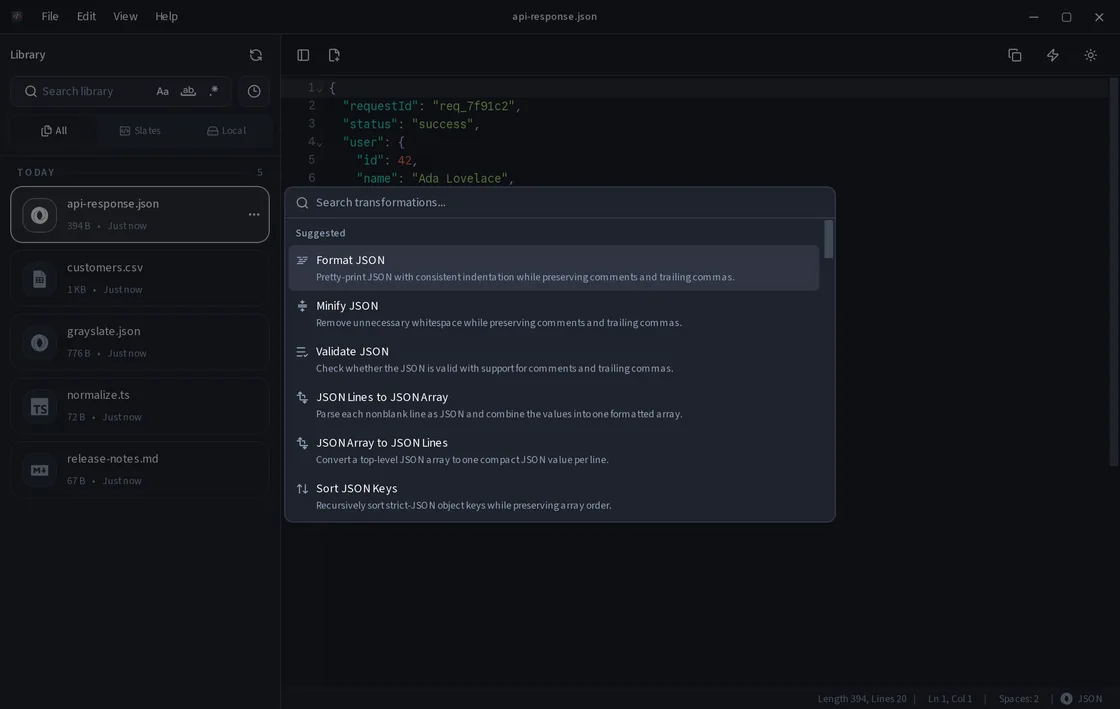
Grayslate detects the current document or selection and puts matching transformations first. Format JSON, convert CSV, decode Base64, hash text, clean up lines, and more—all on your machine.
Free and open source · macOS, Windows, Linux
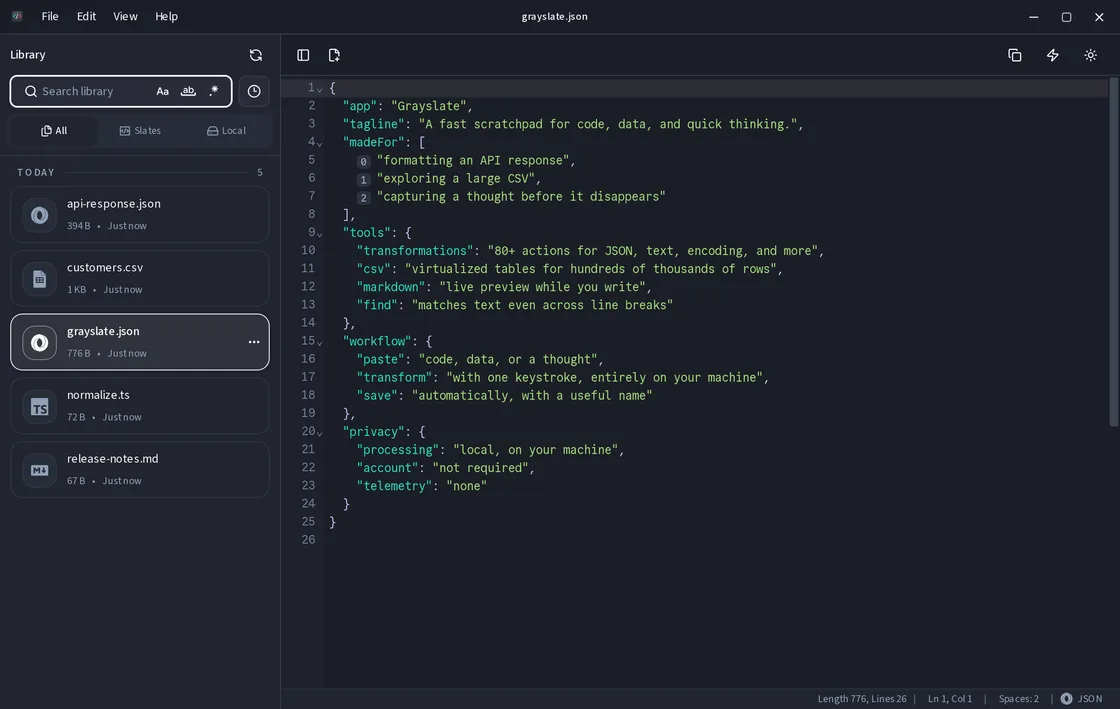
Paste an API response. Explore a huge CSV. Transform text or capture a thought. Grayslate recognizes your content, suggests relevant transformations, and automatically names and saves each slate—so you can find it again whenever you need it.
Your files stay on your machine. No account. No telemetry.
Built for the everyday detours
Grayslate keeps useful developer tools close without turning every quick task into a project.
Grayslate detects the current document or selection and puts matching transformations first. Format JSON, convert CSV, decode Base64, hash text, clean up lines, and more—all on your machine.
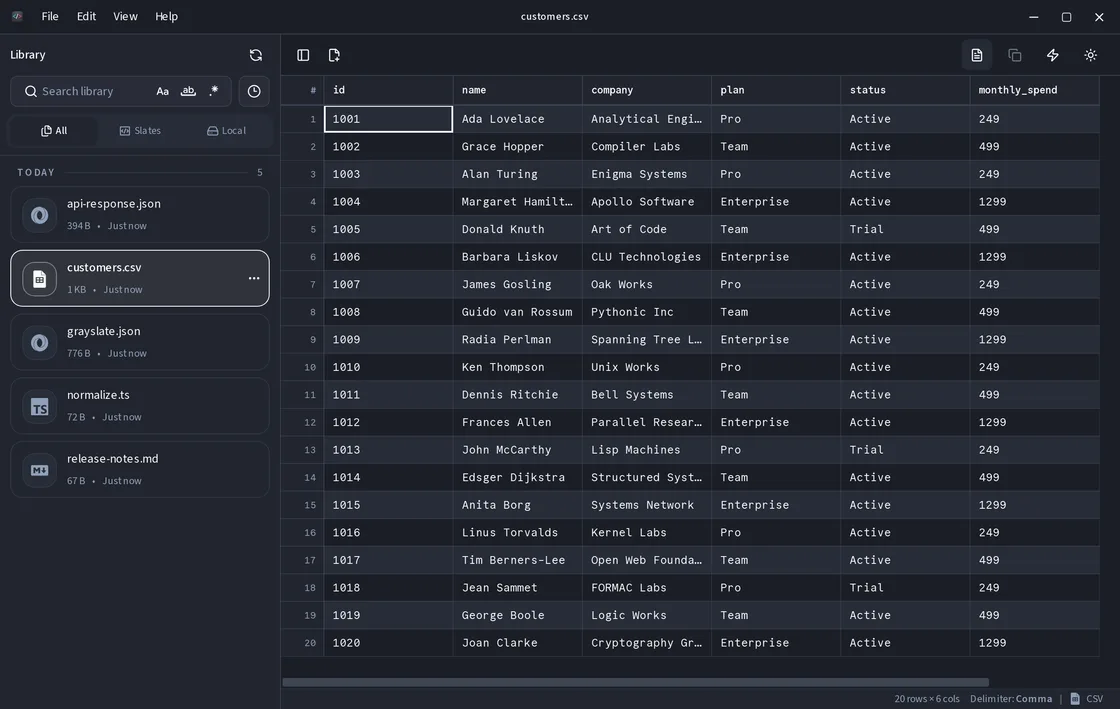
Open and explore CSV files with hundreds of thousands of rows in a Rust-backed, virtualized table.
Grayslate recognizes the content, chooses a useful filename and extension, and saves every new slate as you type. Browse recent slates or search by name and content whenever you need it again.
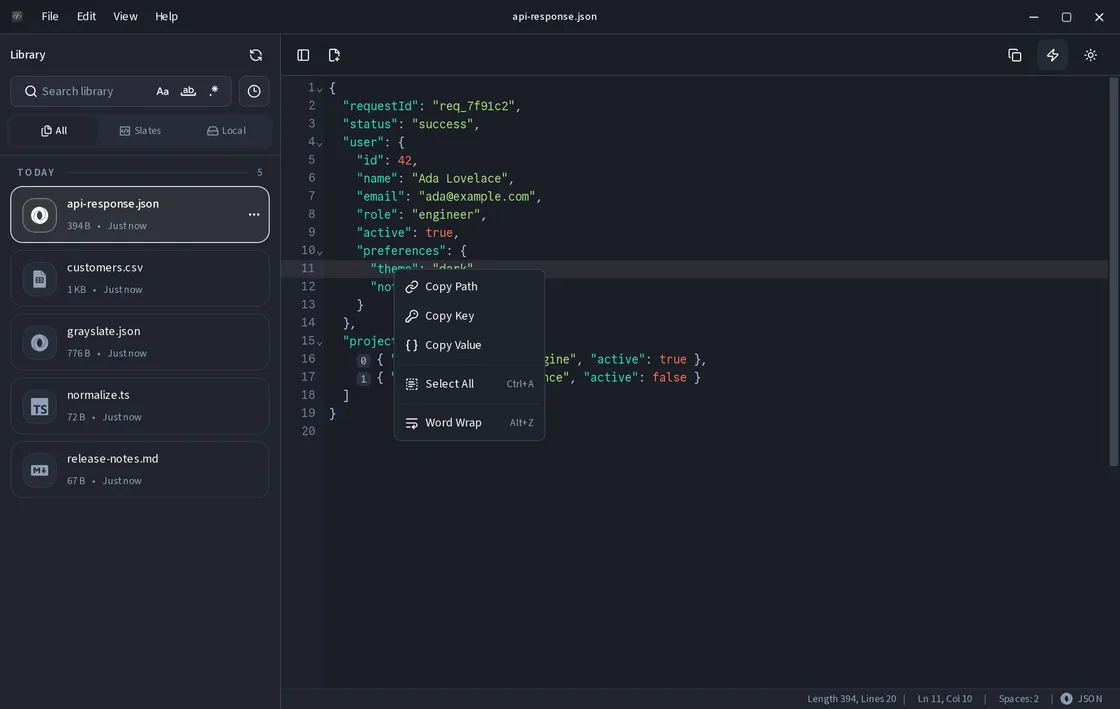
Right-click to copy a JSON path, key, or value.
Write and preview Markdown side by side.
Search and replace multiline content without leaving the editor.
Local by design
API responses, customer CSVs, tokens, and unfinished ideas stay on your computer. Grayslate does not require an account, cloud upload, or telemetry.
Questions, answered
The short version: it is free, local, auto-saved, and available on macOS, Windows, and Linux.
Yes. Grayslate is free and open source under the MIT License.
Grayslate provides desktop builds for macOS, Windows, and Linux.
Boop is centered on one-off transformations, while Notepad++ is a general-purpose editor. Grayslate is built around persistent scratch work: it recognizes pasted content, suggests relevant transformations, gives each new slate a useful name, auto-saves it, and lets you search for it later. It also includes real file editing and a Rust-backed large-CSV viewer.
New slates are named and saved automatically as you type, and remain available in the library for browsing or search. Files opened from elsewhere on your computer are never overwritten automatically—Grayslate writes changes to those files only when you explicitly choose Save.
Grayslate can open text and CSV files up to 200 MB. CSV table rows are virtualized so hundreds of thousands of rows remain practical to browse.
Your code and data do not need to be uploaded to a third-party formatter. Grayslate performs its transformations locally on your machine.
Ready when you are
Install Grayslate and turn code, data, and quick notes into automatically saved, searchable slates.
brew install --cask shriram-ethiraj/grayslate/grayslateAd-hoc signed; macOS may require Open Anyway on first launch.
curl -fsSL https://packages.grayslate.app/install.sh | shRepository installs receive system updates. AppImage remains standalone. Packages currently target x86_64.
Looking for another package or architecture? View all downloads and release notes.